How to vote via text message for Miss Trot 4
The Power of a Single Vote to Answer a Desperate Dream
Hello, I'm CEO Y, your dedicated partner in business growth, from launching a startup to entering the global market.
Like many of you, I've found myself completely captivated by 'Miss Trot 4' this summer of 2026.
It's a massively popular music competition show here in Korea, and watching the contestants pour every ounce of their passion and desperation onto that stage is incredibly moving.
It strikes a familiar chord; their intense focus reminds me of the determined faces of entrepreneurs right before a pivotal investment pitch. In those moments, I can't help but clench my fists in solidarity.
And what's fascinating is that the fate of these talented performers often comes down to a single, powerful action from viewers like you: a real-time SMS vote.
Throughout my career supporting countless companies through complex mergers, acquisitions, and IPOs, I've learned a fundamental truth: the final outcome often hinges on a detail that seems incredibly minor at first glance.
For the contestants of 'Miss Trot 4,' your text message is far more than simple encouragement. It is the master key that can unlock their dreams and turn them into reality. To ensure that your heartfelt support doesn't go to waste, I'm going to walk you through the most precise and reliable way to cast your vote, step by step.
Your Step-by-Step Guide to Real-Time SMS Voting
Even if you're not entirely comfortable navigating your smartphone, there's no need to worry. I'll guide you through the simplest path, just as if I were sitting right beside you.
When the voting window opens during the live broadcast, just stay calm and follow these instructions. Once you're familiar with this straightforward process, you'll be able to participate effortlessly every time.
First, open your smartphone's default 'Messages' application. It’s important to use the native text messaging app that came with your phone, not a third-party messenger like WhatsApp, Telegram, or Facebook Messenger.
Second, in the recipient field where you type the phone number, carefully enter the 'final round text vote number' announced on the screen. This number usually consists of a hash symbol (#) followed by four digits.
Accuracy is everything here, so make it a habit to double- and even triple-check that you’ve typed the numbers correctly.
Finally, in the body of the message, type *only* the name or the assigned number of the contestant you're supporting.
Once that's done, just tap the 'Send' button, and your part is complete.

The Final Review: A Checklist to Prevent an Invalid Vote
There's nothing more disheartening than sending a vote filled with sincere support, only to find out it was nullified due to a simple, avoidable error. It’s the business equivalent of preparing a perfect, multi-million-dollar proposal and having it rejected because of a missing signature on the final page.
To prevent that kind of frustrating outcome, I’ve put together a checklist of things to confirm before you hit send.
✅ **Check the Recipient Number:** Have you correctly entered the official voting number, including the hash symbol (#)? A single wrong digit can send your vote into the void.
✅ **Keep the Content Pure:** Does your message contain only the name or number of a single contestant? Leave out any extra words of encouragement, special characters, or emojis.
✅ **One Vote, One Message:** Have you avoided listing multiple contestants in the same text? Each vote for each contestant must be sent as a separate, individual message to be counted.
✅ **Mind the Clock:** Are you sending the message within the official voting window announced during the broadcast? Votes sent before it opens or after it closes will not be registered.
If you stick to these four principles, you can be confident that your precious vote will be delivered safely and counted. Just as successful investments begin with thorough analysis, a successful vote begins with meticulous verification. Remember that.

Is My Vote Secure? Confirmation and Proof Strategies
After you send the text, you might wonder, 'Did my vote actually go through?' In most cases, shortly after you send a valid vote, you will receive an automated confirmation message from the carrier or the broadcaster letting you know it has been successfully received.
If you don't get a reply and feel anxious, you can usually check your messaging app's 'Sent' folder. By looking at the 'message info' or 'details,' you can confirm whether it was successfully delivered from your end. The real-time voting systems used for these major live broadcasts are typically very stable and robust, so you generally don't need to worry.
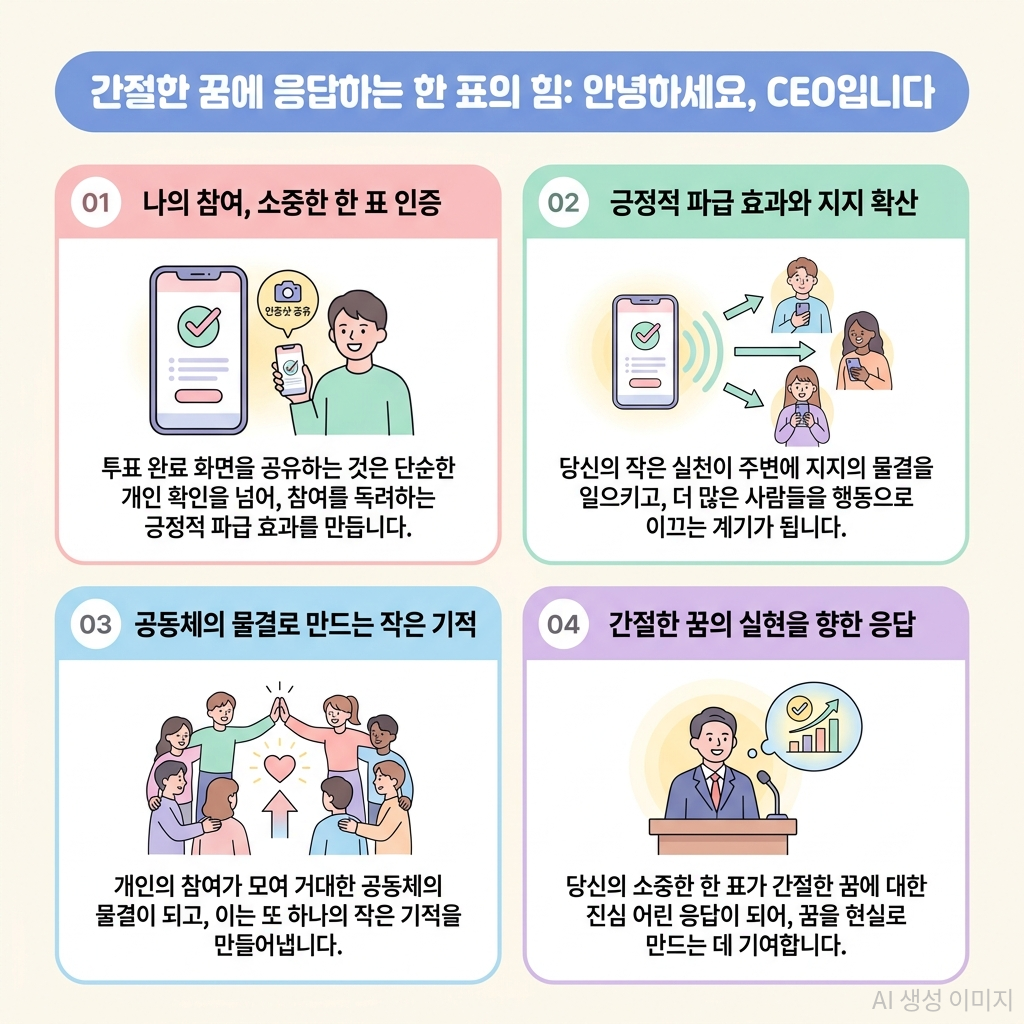
In recent years, a wonderful culture of sharing 'voting proof' for shows like 'Miss Trot 4' has also emerged on social media. Sharing a screenshot of your completed vote is more than just personal confirmation; it has a positive ripple effect, encouraging others to participate and show their support. It’s a way for your positive influence to spark another small miracle. Your single action can inspire a wave of community action, amplifying your support in ways you can't even imagine.
When your earnest cheers and votes come together, they can create a truly miraculous moment for the contestants on stage.
📚 Read the full Korean version on our Naver Blog — with original photos and customer reviews.
📚 Looking for more details? Visit the Tistory version for in-depth notes and search keywords.
📚 Prefer Korean? Check the Google Blogger(Korean) version of this article.


댓글
댓글 쓰기